
See Export AI at work
Short videos of real label checks, then every step explained. Want it on your own products? Request a live demo.
How to use Export AI
A full walkthrough of Export AI, from uploading your label artwork to reading the compliance report. Start here if you are new to the platform.
Upload, check, get a coffee
An EU cosmetic label goes in and Export AI checks it against the EU cosmetics rules while you step away. When you are back, the findings are waiting.
Going through the findings
One label, 21 fixes before it ships. We go through the findings one by one and show where each issue sits on the artwork and which rule it comes from.
Export AI vs a general-purpose AI
The same label goes to Export AI and to a general-purpose AI chatbot. See how the answers differ when the tool is built on the actual regulations.
How Export AI works
Upload. Analyze. Get the report.
Three steps from product artwork to a compliance report you can act on, usually in under 5 minutes.
- 1 Upload
- 2 Analyze
- 3 Report
Step 1 · Upload
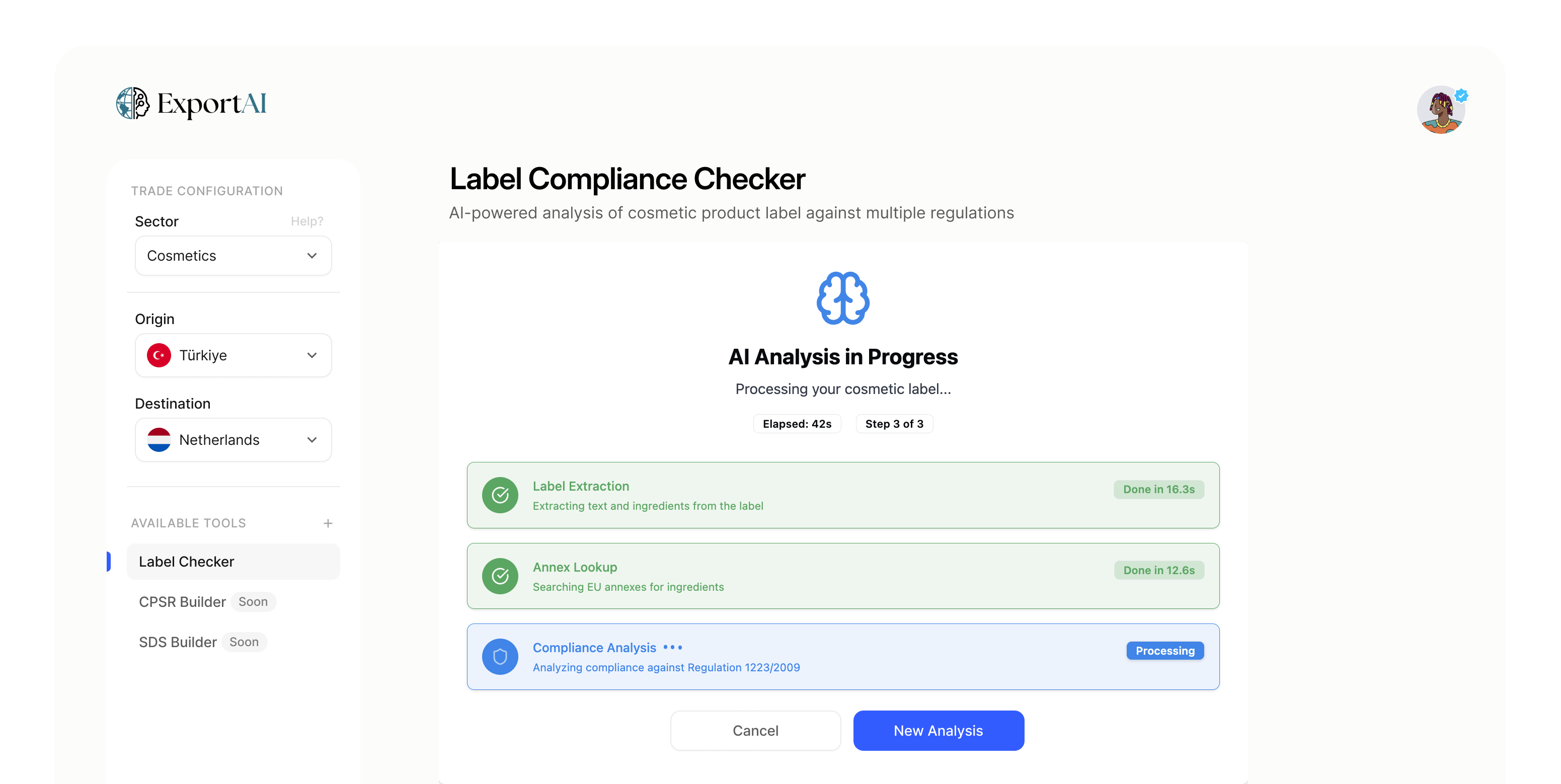
Upload your label and pick the market
Choose the sector, the origin country and the destination market, then upload the label artwork or a PDF. Technical sheets and multi-page documents are supported.
- PNG, JPG and PDF artwork
- Sector, origin and destination settings
- Optional technical sheet for cross-checks

Step 2 · Analyze
AI checks every element on the pack
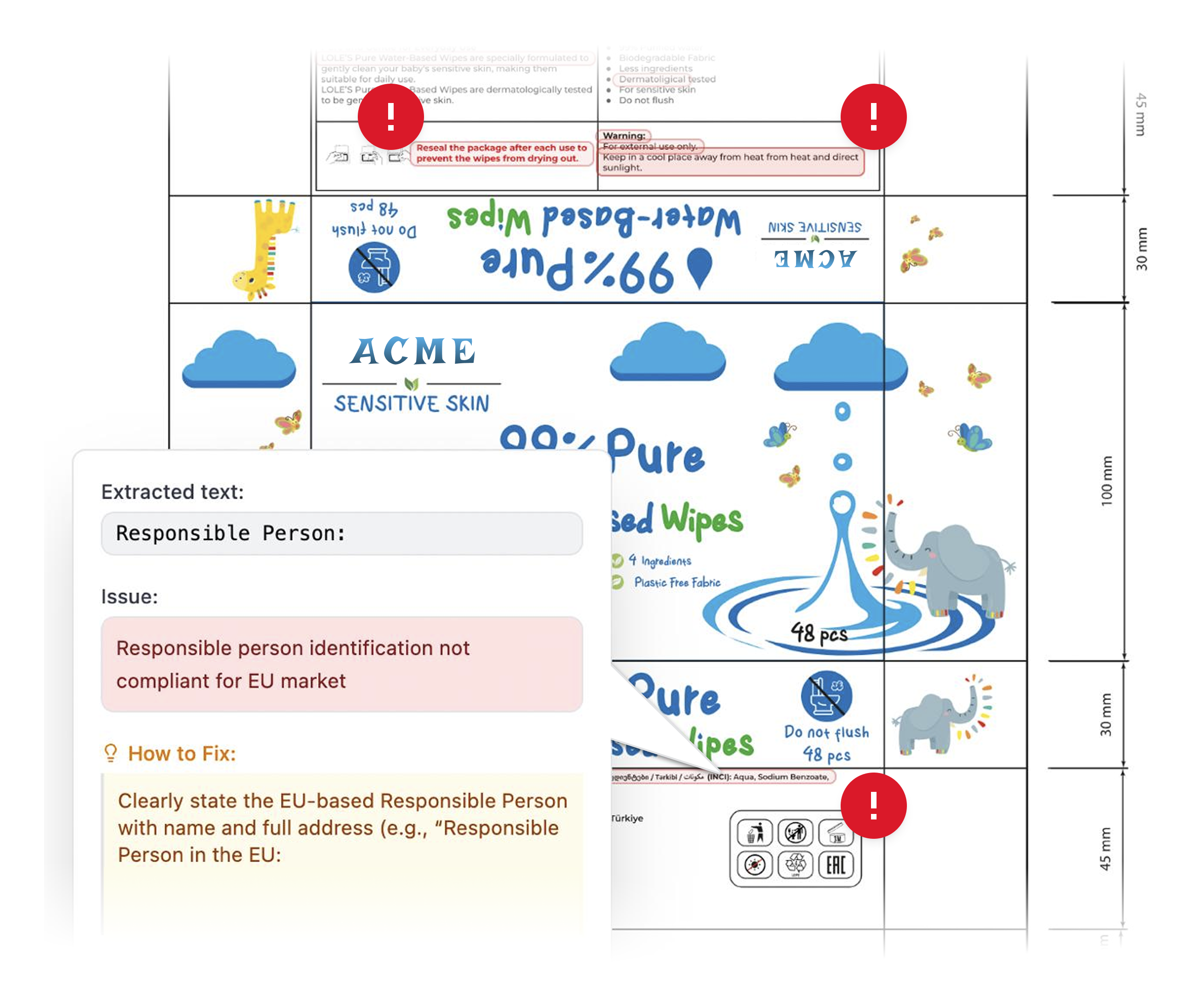
Export AI extracts the label text, looks up each ingredient in the destination market's regulatory lists and checks mandatory labelling, claims and language. Each problem is pinned to the exact spot on your artwork, with an explanation of how to fix it.
- Ingredient lookup against the destination market's lists
- Mandatory labelling and claims checks
- Typos and missing translations in 23+ languages
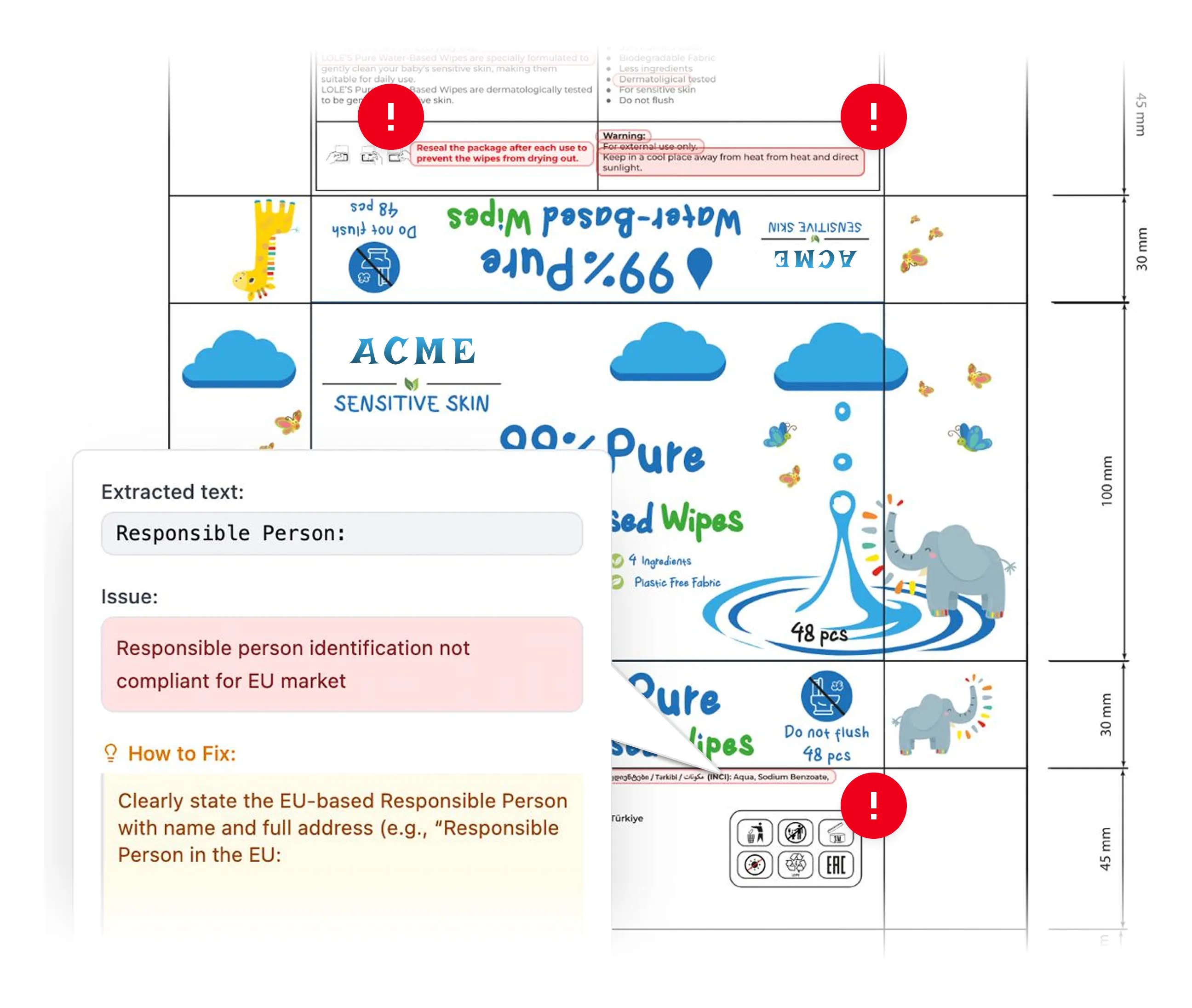
Step 3 · Report
Get a prioritized list of fixes
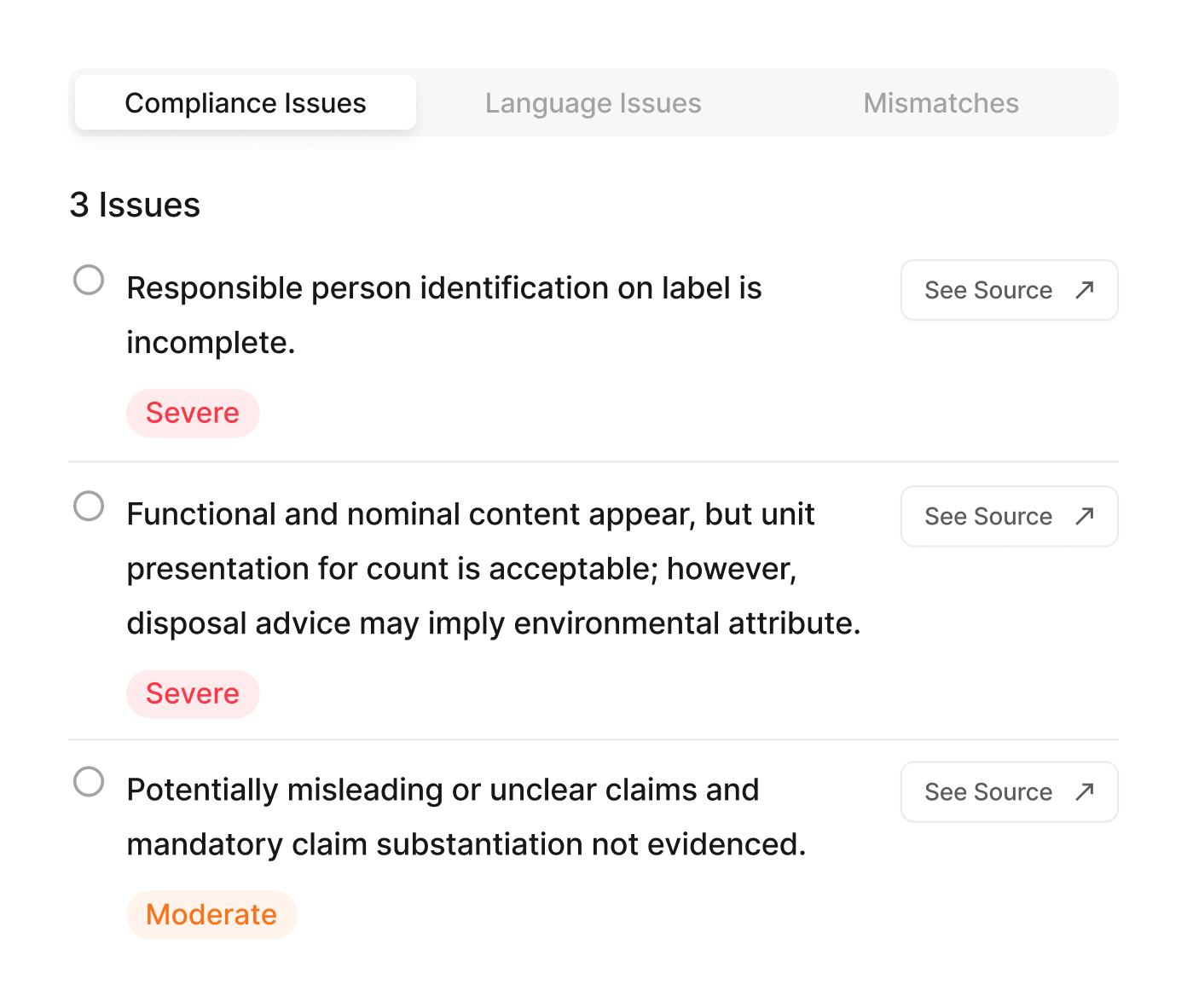
Issues are grouped into compliance, language and documentation mismatches and ranked by severity. Every finding links to its source on the label so your team knows exactly what to change before the product ships.
- Severity: severe, moderate, advisory
- Link from every finding to its source
- Shareable report for your team

What you get back
Each analysis ends with a report your regulatory, design and sales teams can all work from.
-
Status at a glance
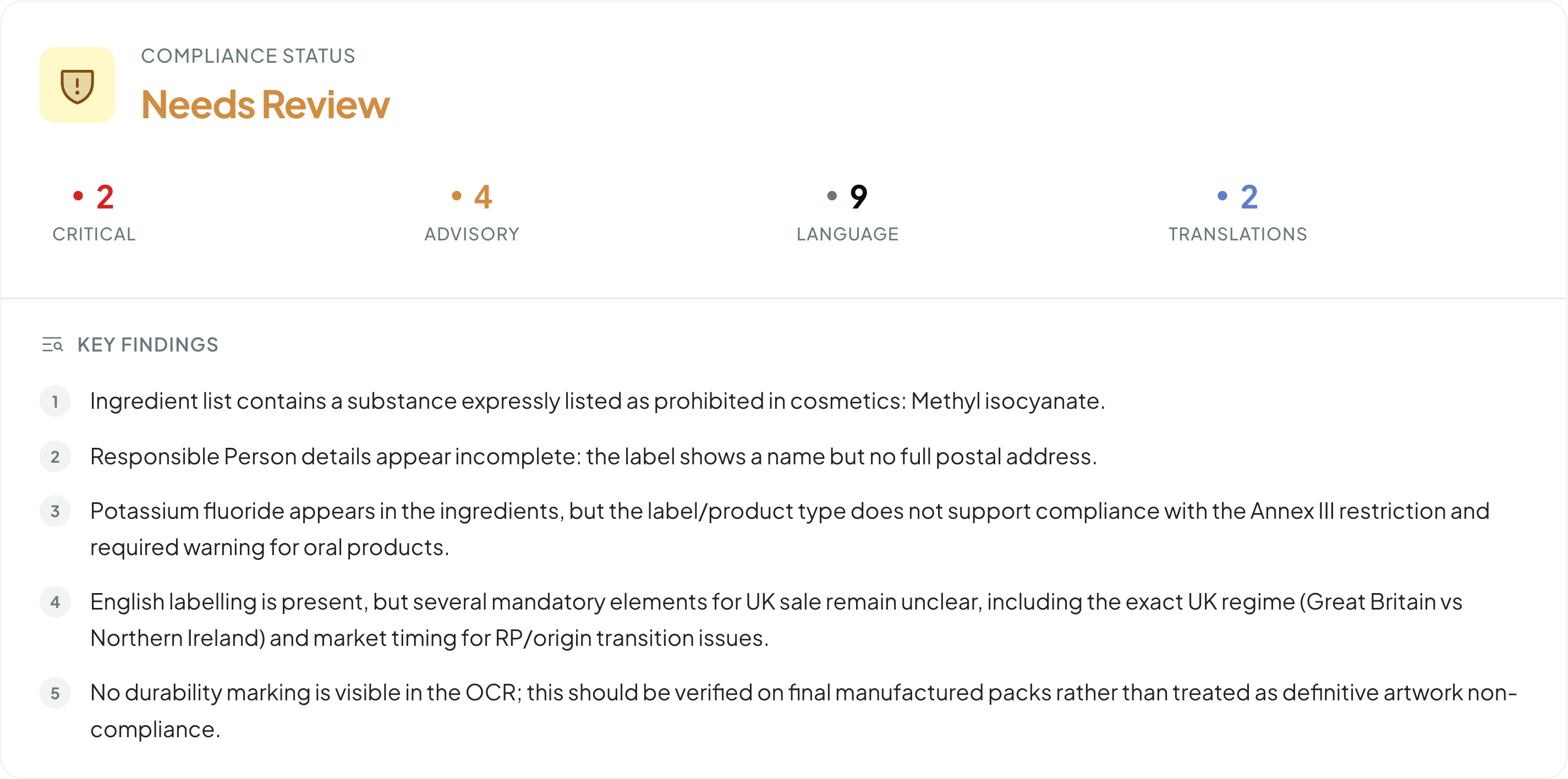
One overall status and a count of critical, advisory, language and translation findings.
-
Key findings in plain language
Prohibited substances, incomplete Responsible Person details, missing warnings and unclear market rules, each with its regulatory reference.
-
Fixes, not just flags
Every issue comes with a suggested correction and a link to where it appears on the artwork.

Not on video yet? We'll show you live.
-
Detergent label check
Ingredient labelling, surfactant and allergen declarations and CLP hazard communication.
Request a demo -
CPSR and SDS documentation
Checked data flows into a CPSR draft for the safety assessor and a REACH Annex II safety data sheet.
Request a demo